

 Euro
Euro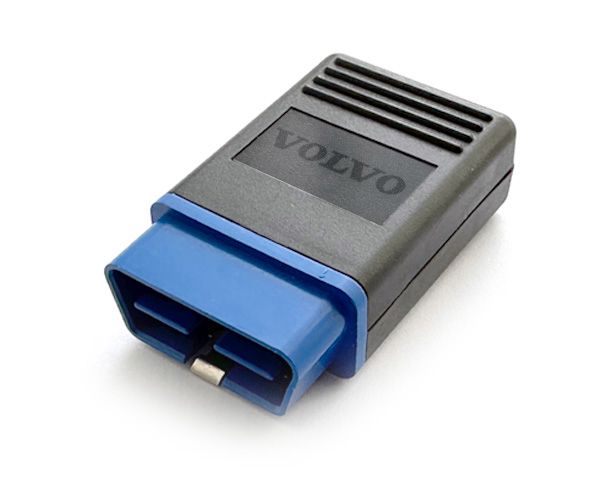
Descrizione
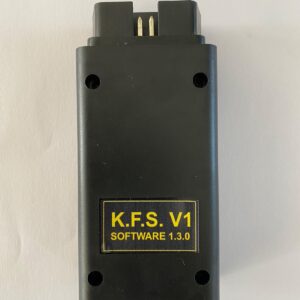
VOLVO TRUCKS Immobilizer
The device allows you to turn ON and OFF the immobilizer functions in trucks based on the
VOLVO platform, even if all the keys are lost. When the immobilizer is turned off, the engine can be
started with any key.
The device is not intended for illegal actions!
Supported models (with Firmware up to 2023.01.25):
- FH4/FM4
- VOLVO buses
- VOLVO/PENTA Building machinery
- Renault Trucks
- VOLVO UD Trucks
Used acronyms:
- ECU – Electronic Control Unit
- DB – Database
DB ECU Version: 2023.01.25
How to select operation mode:
1. 2. 3. 4. Connect device to PC USB-port which has Windows 10 or 11 operation system.
Windows will recognize it as a new disk. Open it and run IMMO.exe utility.
Select IMMO ON or IMMO OFF
Press SAVE and close the utility – device ready to work in selected mode.
Immobilizer parameterization:
1. Insert device into OBD-socket.
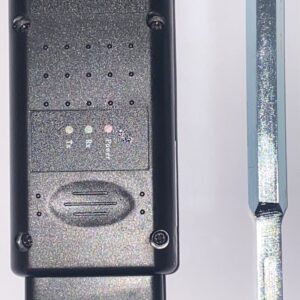
2. Device will make a short BEEP following with blinking GREEN LED.
3. Depends on mode you selected, device will do immobilizer ON or OFF. The procedure takes
about 1 minute.
4. If procedure finished successfully GREEN LED on device will lit accompanying with long BEEP.
Device update:
1. 2. 3. To get an update please send us INFO.TXT file from your device.
Paste file you got from us, into device
Disconnect and connect device to USB port of the PC to finish update procedure.
Error indication:
number.
Long sound signal + some of the short signals. AMOUNT OF THE SHORT SIGNALS indicates error
1. 2. 3. 4. 5. 6. One of the ECU interrupted programming procedures.
ECU info is not found in database.
Crypto key in device memory is damaged.
Device cannot open DB (param.bin) – no data file found, (lost or corrupted).
Internal clock of the device has incorrect value.
No one of the ECU didn’t answer to device.
* OUR DEVICES ARE SOLD FOR OFFICIAL AND PRIVATE USE ONLY. WE ARE NOT RESPONSIBLE FOR FRAUDULENT OR ILLEGAL USE OF THE EQUIPMENT SOLD TO YOU.

 English
  Italiano
  Español
  Polski
  Deutsch
Reviews
There are no reviews yet.